Free HubSpot module
A countdown timer for your HubSpot webinar pages
Set one date, or every Thursday at 17:00. Visitors see the time left, then a "Live now" badge and a button to the live room during the session, then an ended message. No timer stuck at zero.
Get it free on the HubSpot marketplace (opens in a new tab) Try the demo Setup guide
Free on every HubSpot plan · For website pages, landing pages and blog posts, not emails · No extra app or account
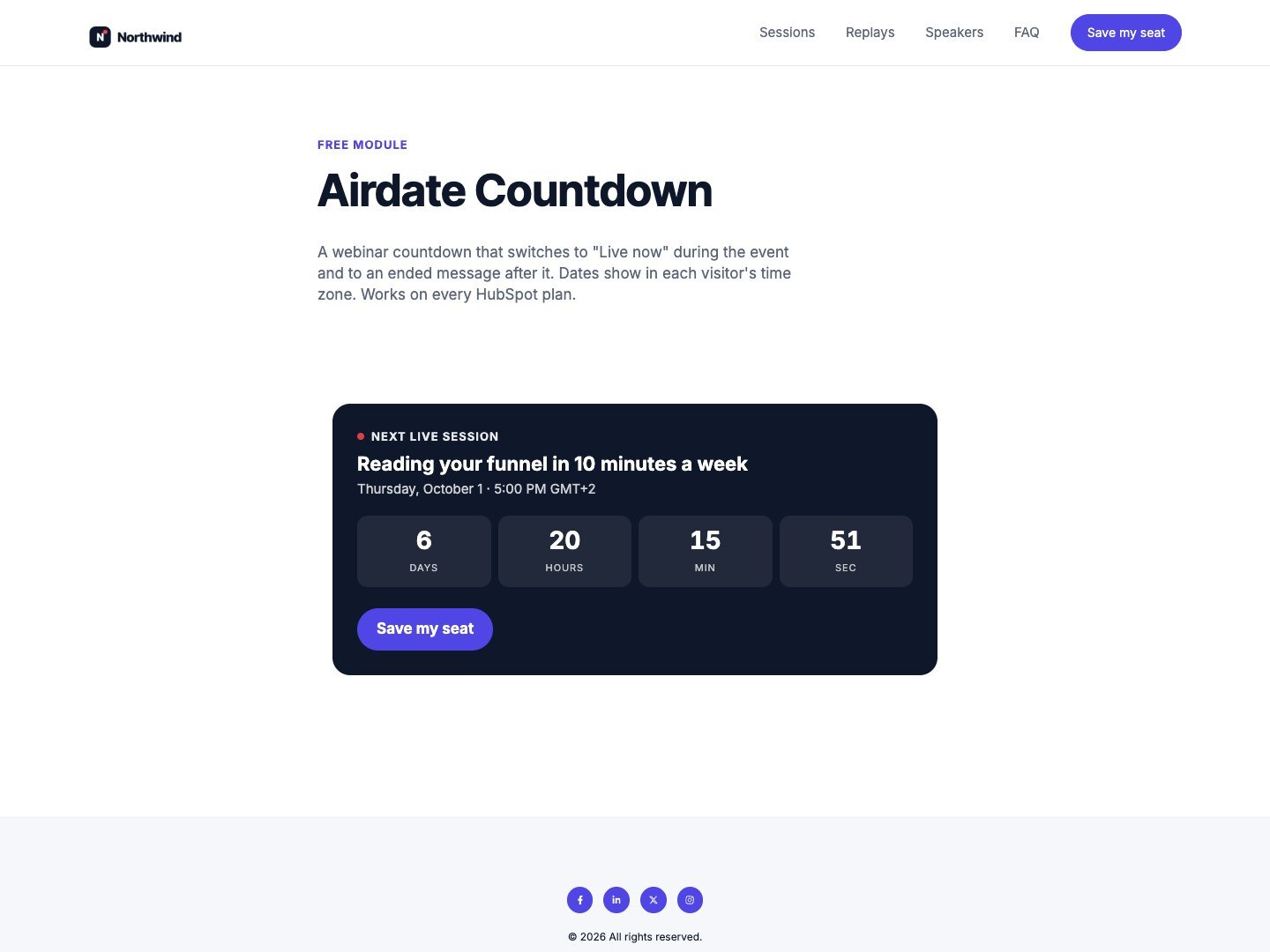
Try it here
Watch the next session count down in your own time zone. The button, colors and texts are the module's own settings.
The demo runs the real module. Open it full page.
What it does
Before, during and after
Before the start: days, hours, minutes and seconds left, and your button. During the session: a "Live now" badge with a pulsing dot. After it: an ended message replaces the count and the button.
Every week, nothing to update
Pick a day, a time and the time zone of the series, such as every Thursday at 17:00 in
Europe/Paris. The count always targets the next session: once one is over, the next page load counts down to the following week.A button for the live room
While the session is on, the button takes its own text and link, such as "Join the live now" to your webinar room.
The right hour for each visitor
The date line under the title shows the day and time in the visitor's own time zone, with the zone name, in the language of the page.
Right on cached pages
The count and the live and ended states are worked out in the visitor's browser every second, so a cached page never shows an old state.
Your colors, your fonts
Background, text, accent and live colors are fields of their own. The module uses the fonts of your page, with no outside script.
Add it to a HubSpot page
- Install Airdate Countdown from the HubSpot Template Marketplace (free).
- Open a website page, landing page or blog post in the editor, and drag the module from the Add panel.
- Choose the schedule: one date and time, or a day of the week, a time and the series time zone. Set the duration in minutes.
- Fill in the button text and link, and the text and link to use while live, then publish.
Get Airdate Countdown free on the HubSpot marketplace (opens in a new tab)
Questions
Can I use it in marketing emails?
No. Email clients do not run the small script that counts down, so it is made for pages only.
Does it work on HubSpot's free plan?
Yes. It is a regular module for website pages, landing pages and blog posts, on every HubSpot plan with pages, free included. No extra app and no extra account.
What happens when the countdown reaches zero?
The block shows "Live now" and the live button for the duration you set. Then an ended message replaces the count and the button. In weekly mode, the page counts down to the next session from the following visit.
Which time zone is used?
A single date is stored as an exact moment. A weekly series is read in the time zone you type, such as America/New_York. Either way, each visitor sees the date in their own zone.
Can I translate the texts?
Yes. The title, the units, the badge, the buttons and the ended message are all fields, and the date follows the language of the page.
Does it register people for the webinar?
No. The button links to your registration page or form. Keep your HubSpot form for sign-ups.
Not quite this one?
- Airdate Announcement Bar: the same idea as a bar across the top of your pages, with a countdown before the event.
- Airdate Session List: the whole series, not only the timer: next session, live now and replays.
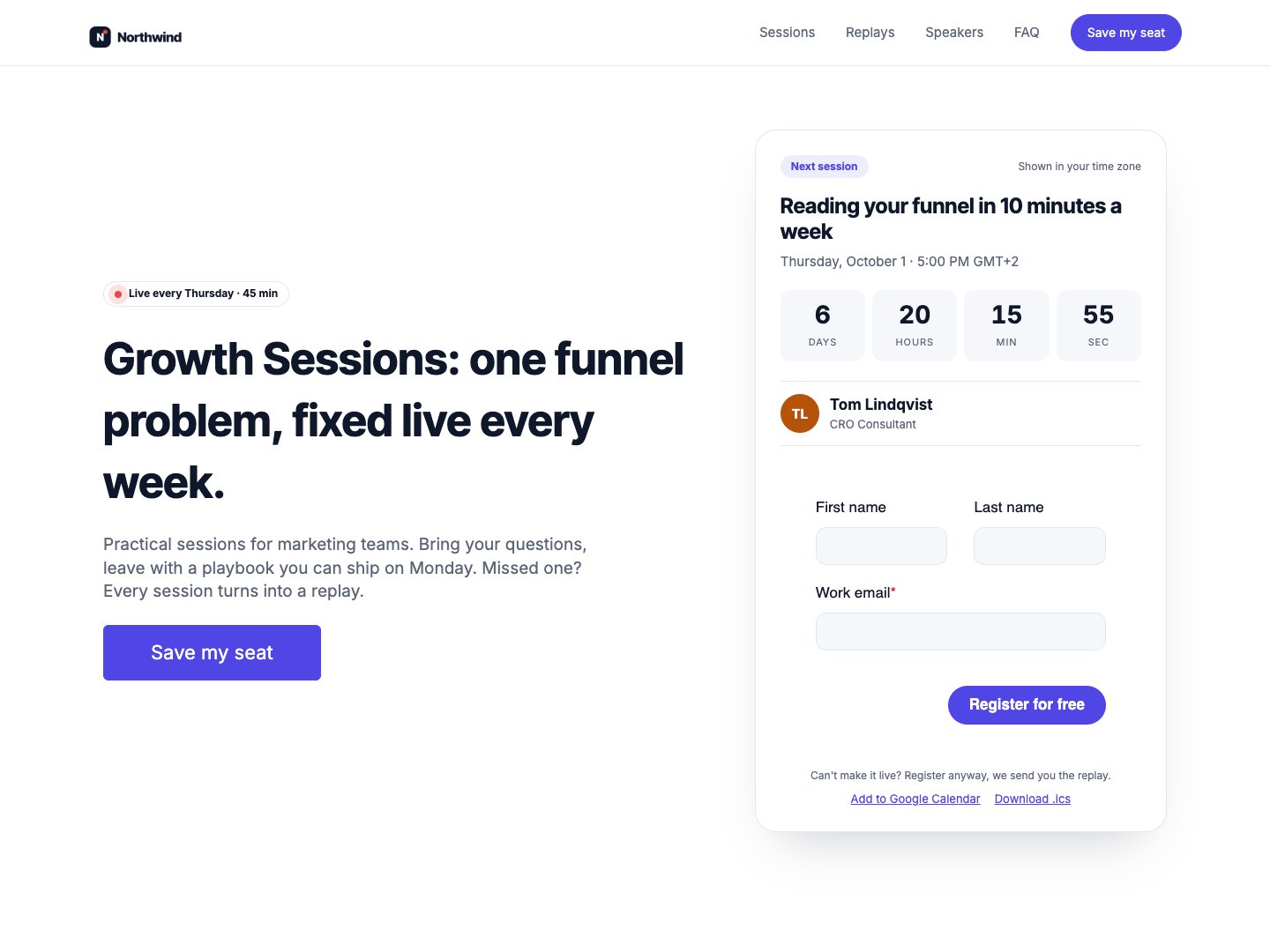
Airdate Webinar
If you run a webinar series, Airdate Webinar builds the whole site around your sessions: the next session with a countdown, the agenda and the replays.
A paid HubSpot theme for recurring webinars: you type your sessions once, and every page shows the next session with a countdown, the agenda, the live state and then the replay.
See the theme on the marketplace (opens in a new tab) · Live demo (opens in a new tab)
More free modules
Questions or a bug? support@airdatethemes.com, in English or French. We answer within two business days. · Airdate Themes