Free HubSpot module
Opening hours for your HubSpot site, with "Open now"
Type your week once and add your holidays and late openings. Visitors read whether you are open right now, worked out in the time zone of your shop, office or support desk.
Get it free on the HubSpot marketplace (opens in a new tab) Try the demo Setup guide
Free on every HubSpot plan · For website pages, landing pages and blog posts, not emails · No extra app or account
Try it here
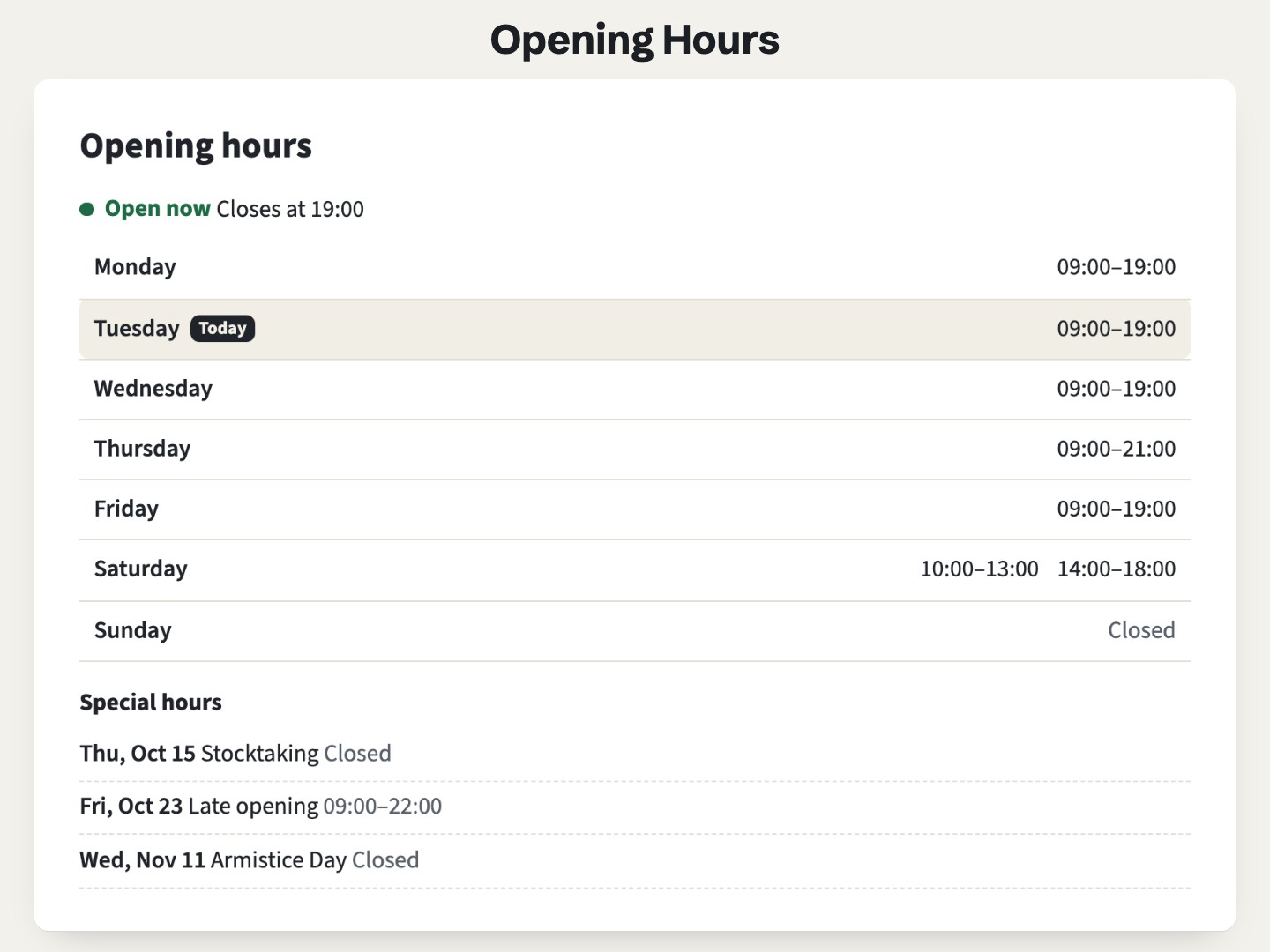
A shop in Paris: the status line is worked out in Paris time and today's row is highlighted. From another time zone, your own time is added.
The demo runs the real module. Open it full page.
What it does
Open now, closing soon, closed
A status line above the week, with the next closing or opening time: "Closes at 18:00", "Opens tomorrow at 09:00". It changes at the minute on a page left open, and cached pages stay right.
The time of the place
Hours are typed and shown in local time. Visitors in another zone also see their own time, such as "Closes at 19:00 (13:00 your time)". Days when the clocks change are handled.
Holidays and special days
Closures and late openings, for one day or a range, replace the week on those days. The ones coming up are listed under the week.
Lunch breaks, late nights, 24 hours
Two periods on one day make a lunch break. 18:00 to 02:00 ends the next morning. 00:00 to 24:00 reads "Open 24 hours".
A real table of the week
The week is written in the page, for every browser and for search engines. Turn it off to keep the status line alone, for a header or a footer.
Your format, your words
12 or 24-hour times, week from Monday or Sunday, your colors for each status. Every label, day names included, is a field.
Add it to a HubSpot page
- Install Airdate Opening Hours from the HubSpot Template Marketplace (free).
- Open a website page, landing page or blog post in the editor, and drag the module from the Add panel.
- Type the Time zone of the place, such as
Europe/Paris, and one row of Weekly hours per opening period. - Add your holidays and late openings in Special days, then publish.
Get Airdate Opening Hours free on the HubSpot marketplace (opens in a new tab)
Questions
Why type a time zone?
So "Open now" is right for every visitor. A visitor in New York at 9 am sees a Paris shop open, since it is 3 pm in Paris. Spell it as in the IANA list, such as Europe/Paris, not Paris or CET.
Does it work on HubSpot's free plan?
Yes. It is a regular module for website pages, landing pages and blog pages, on every HubSpot plan with pages, free included. No extra app, no extra account and no outside script.
How do I close for a public holiday?
Add a row in Special days with the date and leave Closed all day on. For several days, set a last day. Special days carry their year, so type yearly holidays again for the next year.
Does it update my Google Business Profile?
No. It is not synced with it and adds no schema.org data. Search engines read the week as text in the page. Keep your Google Business Profile up to date for Google Search and Maps.
Can I show only "Open now" in a header or footer?
Yes. Turn off the week, set the special days list to 0 days and leave the heading empty: one line remains (two for visitors in another time zone).
Can I use it in marketing emails?
No. Email clients do not run the small script the module needs, so it is made for pages only.
Can I translate the labels?
Yes. Every word, day names included, is a field, and times and dates follow the language of the page.
Not quite this one?
- Airdate Announcement Bar: a bar for a temporary notice, such as holiday closing dates.
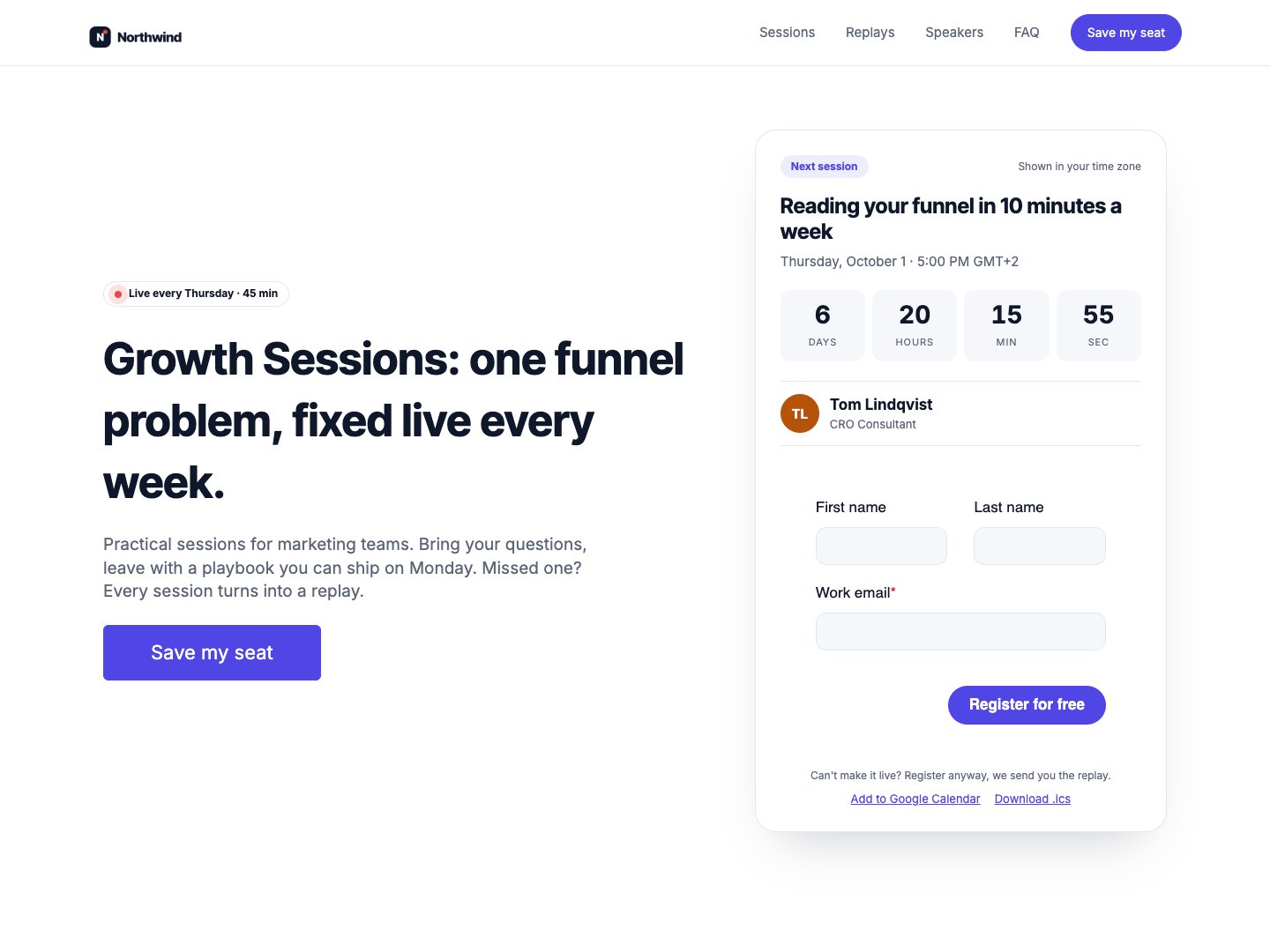
Airdate Webinar
Our themes work the same way for a whole site, from dates typed once; Airdate Webinar does it for recurring webinars.
A paid HubSpot theme for recurring webinars: you type your sessions once, and every page shows the next session with a countdown, the agenda, the live state and then the replay.
See the theme on the marketplace (opens in a new tab) · Live demo (opens in a new tab)
More free modules
Questions or a bug? support@airdatethemes.com, in English or French. We answer within two business days. · Airdate Themes