Free HubSpot module
An event speakers section for HubSpot, with their sessions
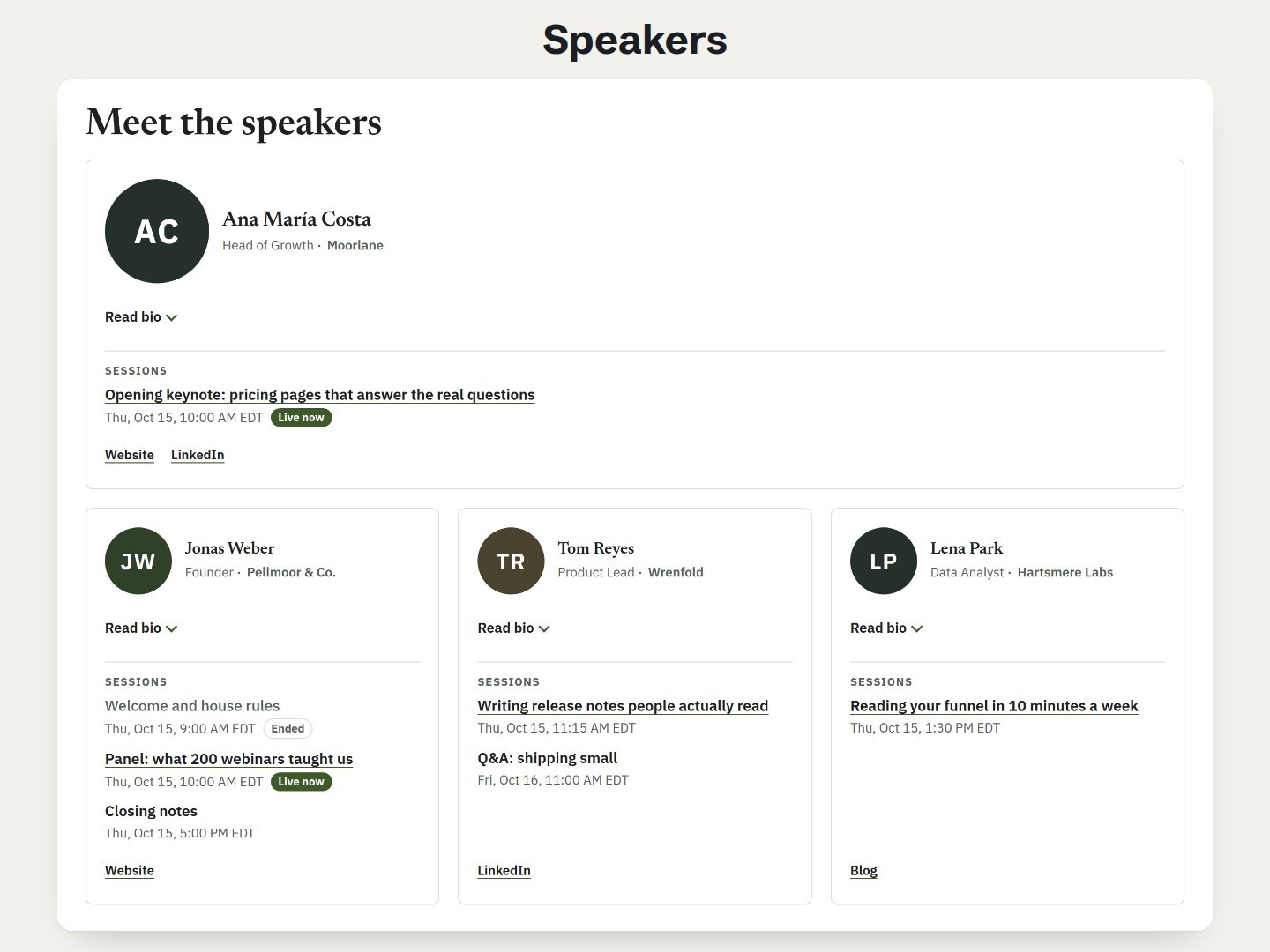
Add each speaker once: photo, role, a short bio, a few links and their talks. Visitors see every session time in their own time zone, marked Live now while it runs.
Get it free on the HubSpot marketplace (opens in a new tab) Try the demo Setup guide
Free on every HubSpot plan · For website pages, landing pages and blog posts, not emails · No extra app or account
Try it here
The keynote session is live now and one session ended yesterday; the times are in your time zone. Open a bio with Read bio, then scroll to the rows layout and the four-column wall.
The demo runs the real module. Open it full page.
What it does
A card for each speaker
Photo, name, role and company, a short bio and up to 4 links. Without a photo, the module draws the speaker's initials in your colors.
Session times in the visitor's time zone
Up to 8 sessions per speaker, sorted by time. Each time is written in the language of the page and the visitor's own zone, with the zone's name.
Live now, then Ended, on time
A session shows Live now while it runs and Ended after, even on a page left open. You can also hide ended sessions at their end time.
A keynote first
Mark a speaker as featured: a full-width card with a larger photo, before the others. The rest follow the order of your rows.
Cards or rows
Two, three or four cards per line, fewer by themselves in a narrow column, or one speaker per line. Bios behind a Read bio button, always shown or hidden.
Readable without JavaScript
Every speaker, bio, link and session is in the page's HTML, so visitors and search engines read them before any script runs. Every label is a field.
Add it to a HubSpot page
- Install Airdate Speakers from the HubSpot Template Marketplace (free).
- Open a website page, landing page or blog post in the editor, and drag the module from the Add panel.
- Give each row of Speakers a full name, then a role, a photo, a short bio and their sessions with a start time.
- Pick the layout and colors in the Style tab, and publish.
Get Airdate Speakers free on the HubSpot marketplace (opens in a new tab)
Questions
Does it work on HubSpot's free plan?
Yes. It is a regular module for website pages, landing pages and blog pages, on every HubSpot plan with pages, free included. No extra app, no extra account and no outside script.
Which time zone is used for the session times?
Each visitor sees the time in their own time zone, with the zone's name after it, such as EDT or UTC+1. You type the start once.
Is it synced with HubSpot marketing events or my webinar tool?
No. The speakers and their sessions are typed in the module: up to 60 speakers, 8 sessions and 4 links each.
Does it make a page for each speaker?
No. Everything is on the page where you place the module. Each session can link to its own page, room or replay.
Is it accessible?
Speaker names are headings, photos are skipped by screen readers (the name is read), Read bio is a native button that works with the keyboard, and Live now and Ended are words, not only a color.
Can I use it in marketing emails?
No. It is made for pages: the session times and the live marks need a small script, which email clients do not run.
Can I translate the labels?
Yes. Every word the module shows is a field, and session times follow the language of the page. French, German and Spanish texts are in the guide.
Not quite this one?
- Airdate Event Schedule: the programme of the event, hour by hour, next to the speakers.
- Airdate Session List: the sessions of a webinar series, when there is no conference programme.
Airdate Webinar
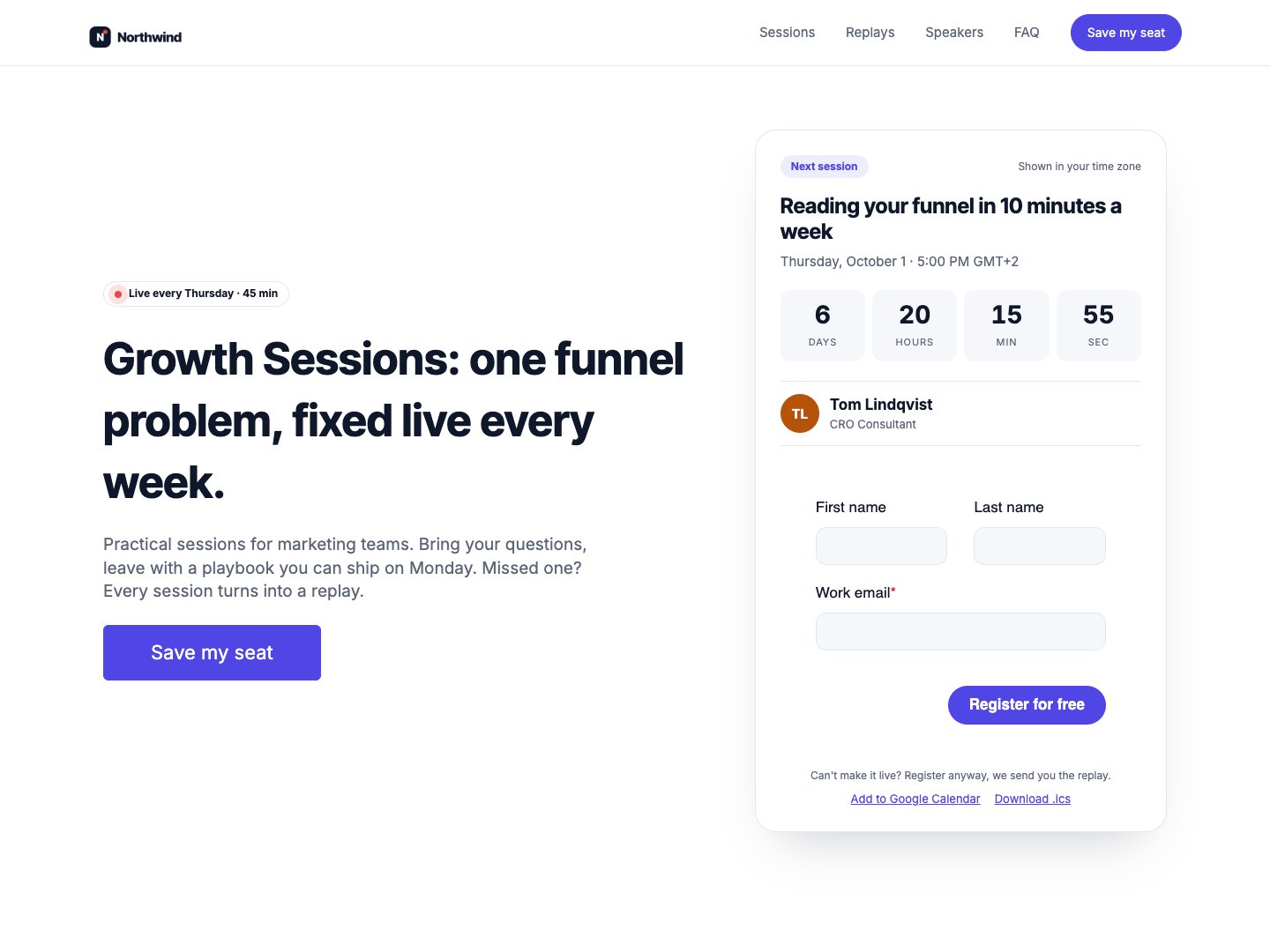
If your speakers present a recurring webinar series, Airdate Webinar gives each session its own page, a countdown to the next one and a replay page.
A paid HubSpot theme for recurring webinars: you type your sessions once, and every page shows the next session with a countdown, the agenda, the live state and then the replay.
See the theme on the marketplace (opens in a new tab) · Live demo (opens in a new tab)
More free modules
Questions or a bug? support@airdatethemes.com, in English or French. We answer within two business days. · Airdate Themes