Free HubSpot module
A month calendar of your events on HubSpot pages
Type your courses, meetups or open days once. Visitors page through the months, see today marked and click a date to its page. On phones, the month turns into a list of days.
Get it free on the HubSpot marketplace (opens in a new tab) Try the demo Setup guide
Free on every HubSpot plan · For website pages, landing pages and blog posts, not emails · No extra app or account
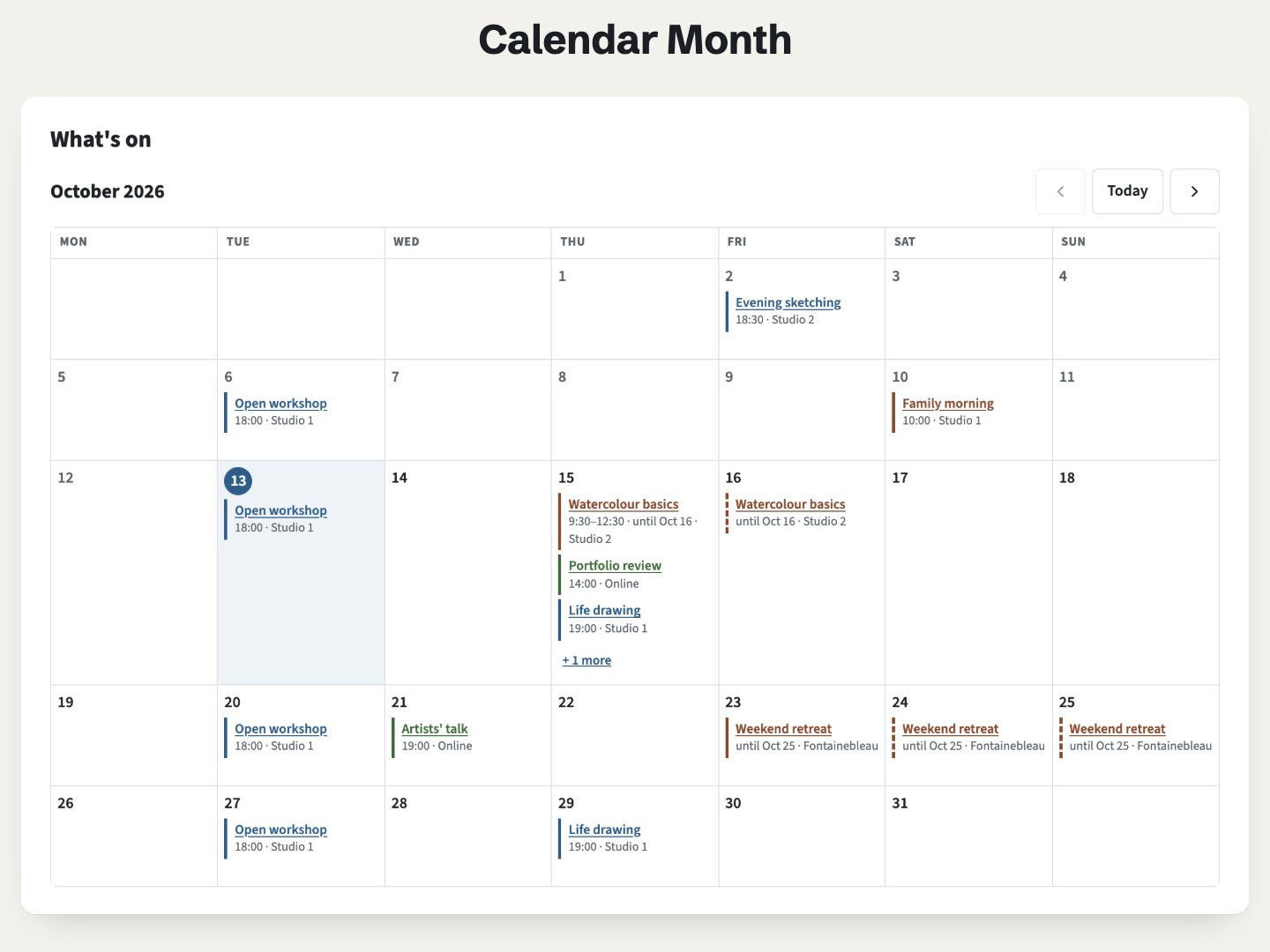
Try it here
Page through the months with the arrows, or Page Up and Page Down, and open a busy day with its "+ 1 more" button. Further down, the same dates in a narrow column show as a list.
The demo runs the real module. Open it full page.
What it does
Your dates, in a month
Each date shows its title, time and place in its day, with a link to its page. Today is marked, past days are dimmed, and three colors tell kinds of dates apart, such as courses, talks and closing days.
Month by month
Arrow buttons, a Today button, and Page Up / Page Down on the keyboard. The calendar opens on the month of the next date. An empty month says so, with a button to the next date.
Busy days and long dates
A day shows three dates, or the number you choose from 1 to 10, then "+ 1 more" to open it in place. A date over several days shows on each of them, with "until" its last day.
A list on phones and side columns
When the module is narrower than 560 px, or the width you set, the month becomes a list of the days that have dates. It follows the module's own width, so a side column gets the list too.
Up to 200 dates, in any order
Rows are sorted by day for you. Week from Monday or Sunday, past dates shown or hidden, and an option to keep the month in the page address (
?month=2026-11) so visitors can share it.Readable without JavaScript
Every date is also written in the page as a plain list, so browsers without JavaScript and search engines read them as text.
Add it to a HubSpot page
- Install Airdate Calendar Month from the HubSpot Template Marketplace (free).
- Open a website page, landing page or blog post in the editor, and drag the module from the Add panel.
- Replace the sample rows of Dates with your own: title, day, last day for a date over several days, time, place, link and color.
- Choose the first month, the first day of the week and the width of the list, set the colors in the Style tab, then publish.
Get Airdate Calendar Month free on the HubSpot marketplace (opens in a new tab)
Questions
Can I show an event calendar on a HubSpot page for free?
Yes. Add this module to any page, type your dates in its rows, and visitors get a month calendar they can page through, with a list of days on phones. It works on every HubSpot plan, free included.
Does it sync with HubSpot marketing events or Google Calendar?
No. The dates are typed in the module. They are not synced with HubSpot marketing events, HubDB, your CRM or any other calendar. A date that comes back every week is typed once per week.
Which time zone is used?
None is converted. A time is text, shown exactly as typed to every visitor, so add the zone if your visitors are spread out, such as "18:00 Paris time". Today's mark follows the clock of the visitor's device.
How does it look on phones?
Under 560 px of module width, the month shows as a list of the days that have dates, with today highlighted. Set the width yourself, or 0 to always show the grid.
Can visitors add a date to their own calendar?
Not from this module: it has no add to calendar button and no calendar feed. Link the date to its own page, and put a button there.
Can I translate it?
Yes. Every word the module shows is a field, and the names of the months and days follow the language of the page.
Can I use it in marketing emails?
No. It works in website pages, landing pages and blog pages only.
Not quite this one?
- Airdate Upcoming Dates: a list of dates with seats left instead of a month grid.
- Airdate Event Schedule: the programme of one event by day and hour.
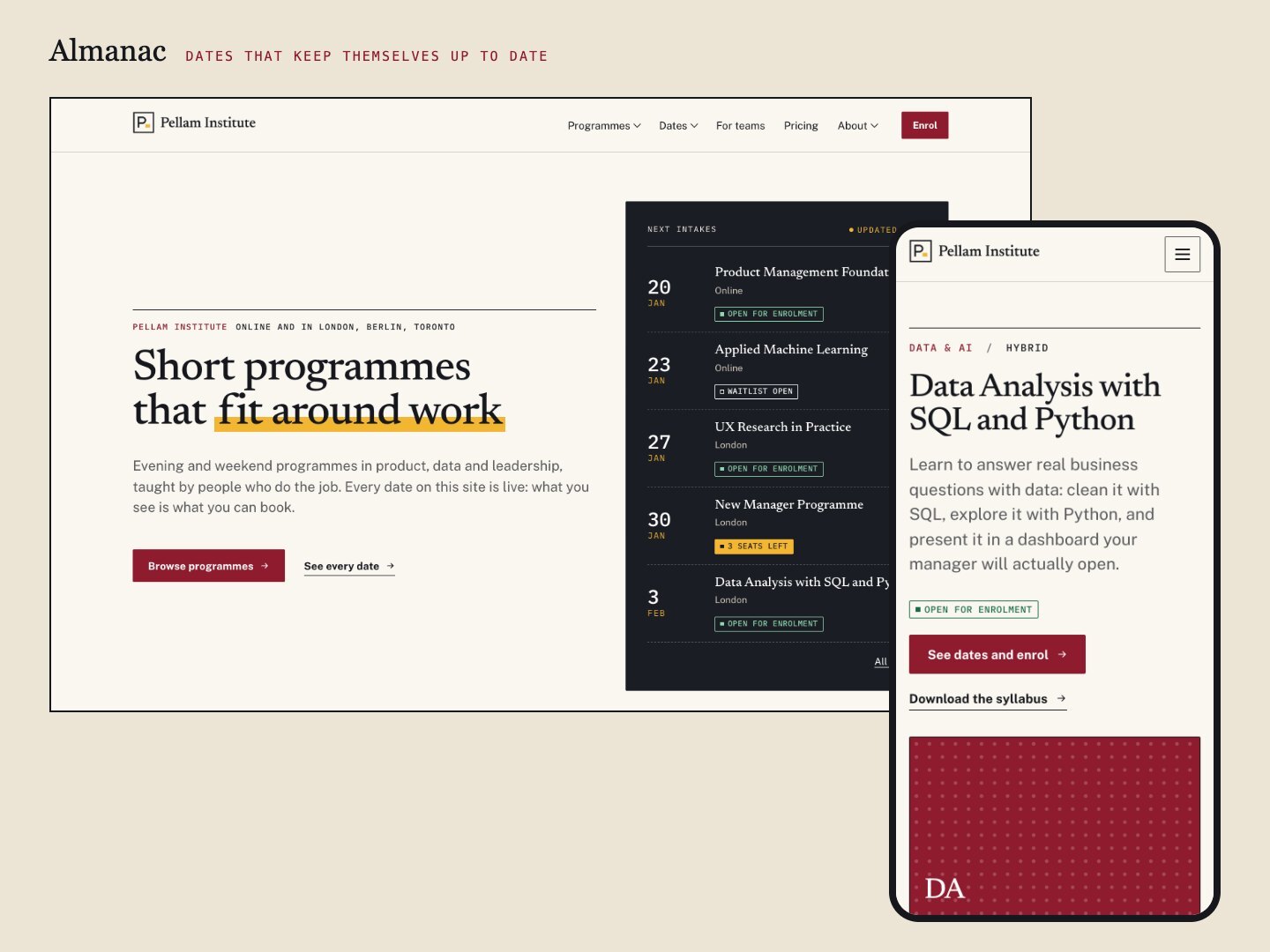
Almanac
If your dates belong to programmes and cohorts, Almanac, our premium theme, ties a calendar like this one to a whole catalogue.
A premium HubSpot theme for training organisations, academies and event teams: programmes with dated cohorts, a catalogue with filters, statuses that update themselves, early-bird prices and a calendar.
See the theme on the marketplace (opens in a new tab) · Live demo (opens in a new tab)
More free modules
Questions or a bug? support@airdatethemes.com, in English or French. We answer within two business days. · Airdate Themes