Free HubSpot module
Your webinar replay behind a HubSpot form
Visitors see a locked video beside your form. Once they send it, the replay plays right there, on the same page, and it is still open when they come back in the same browser (180 days by default). No thank-you page to build, no link to email.
Get it free on the HubSpot marketplace (opens in a new tab) Try the demo Setup guide
Free on every HubSpot plan · Uses your own HubSpot form · A soft gate: it does not hide the video file
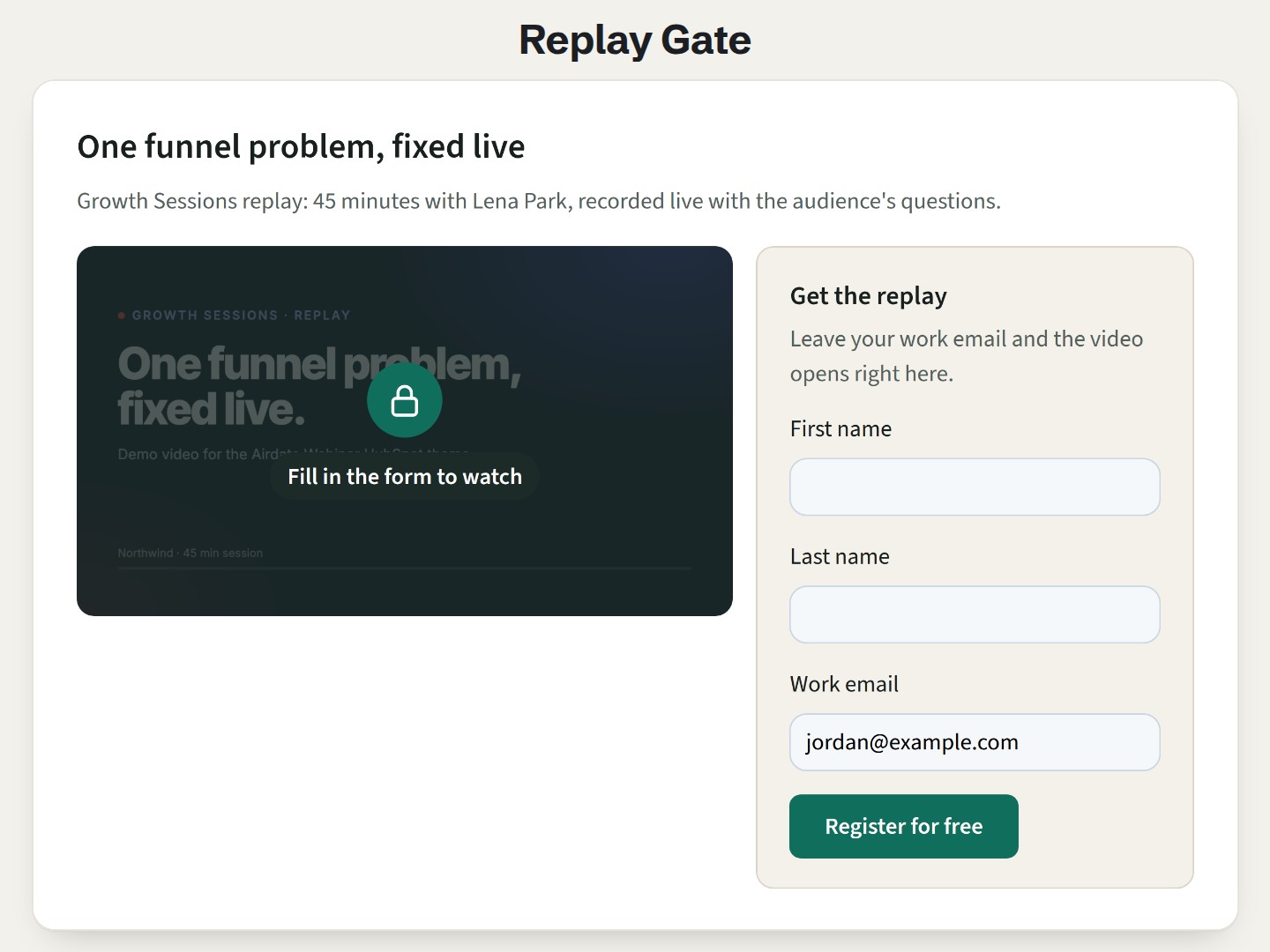
Try it here
Send the form (a real HubSpot form on our demo site: it only needs a well-formed email address, and a made-up one such as you@example.com works): the video opens in place of the lock. Reload the page, and it stays open.
The demo runs the real module. Open it full page.
What it does
Your video behind your form
Choose a HubSpot form, from the new or the legacy form editor, and paste the video link. Other forms on the page, such as a newsletter form, leave the gate locked.
Opens on the same page
No redirect and no email to wait for: the video loads in place of the lock, and the focus moves to the player. Nothing loads from the video platform while the gate is locked.
Remembers who sent it
Returning visitors see the video straight away, for 180 days by default, from 0 to 730, or only until the tab is closed. The module keeps it in the browser's local storage, not in a cookie (your HubSpot form and tracking code keep their own cookies).
One form for a series
Give several gates the same replay key, and one form opens them all, on any page of the site.
No form for people you know
A word such as
replayin the link of your follow-up email opens the video directly. An option does the same for contacts HubSpot already recognizes.Any video link
YouTube (privacy-enhanced mode, start time kept), Vimeo (unlisted videos and live events too), Loom, Wistia, or an MP4 or WebM file from the file manager. Any other link becomes a "Watch the replay" button.
Add it to a HubSpot page
- Install Airdate Replay Gate from the HubSpot Template Marketplace (free).
- Open a website page, landing page or blog post in the editor, and drag the module from the Add panel.
- Paste the Video link and choose the Form. Keep the form's response set to an inline message, not a redirect.
- Choose how long to remember visitors, an optional replay key or open link word, the layout and the colors, then publish.
Get Airdate Replay Gate free on the HubSpot marketplace (opens in a new tab)
Questions
How do I put a video behind a HubSpot form?
Add the module to a page, pick one of your HubSpot forms and paste the video link. Visitors see the form beside a locked video; once they send it, the video opens in place. The submission lands in HubSpot like any other form.
Where do the form submissions go?
To HubSpot, like any submission of that form. The module only opens the video; it does not change what the form records.
Does it work on HubSpot's free plan?
Yes. It is a regular module for website pages, landing pages and blog pages, on every HubSpot plan with pages, free included. It uses your own HubSpot form.
Does it protect the video?
No. It is a soft gate for collecting contacts: the video address is in the page, as with every embedded player, so someone who reads the page source can watch without the form. For content that must stay private, use HubSpot's private content (memberships) where your plan includes it, or a video host setting that limits who can watch.
Do people who registered have to fill in the form again?
Not if you want them to skip it. Add the open link word to the page address in your follow-up email, such as ?replay, or turn on the option for known contacts. Anyone with that link can open the video.
Which video platforms work?
YouTube, Vimeo, Loom and Wistia links, and MP4 or WebM files. The video must be allowed to play on other sites: use an unlisted YouTube video, not a private one.
Can I translate it?
Yes. Every text of the module is a field. The form's own texts are set in the HubSpot form editor.
Can I use it in marketing emails?
No. It works in website pages, landing pages and blog pages. In your emails, link to the page, with the open link word if you want the video to open directly.
Not quite this one?
- Airdate Webinar Replays: a library of many replays, when the recordings are free to watch.
- Airdate Session List: upcoming sessions and replays of a series in one list.
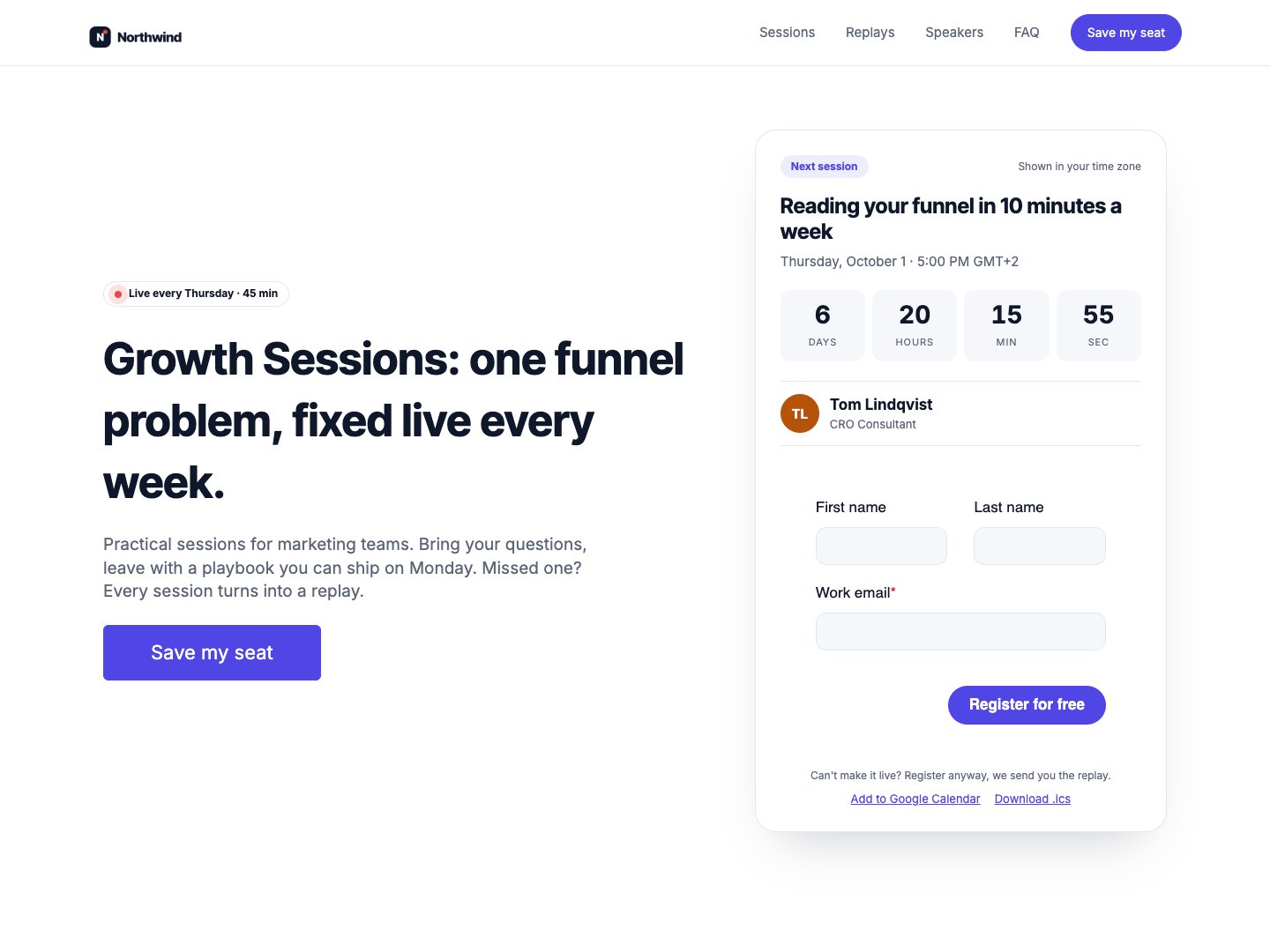
Airdate Webinar
For a whole webinar series, Airdate Webinar builds the form before the replay into the replay page of every session.
A paid HubSpot theme for recurring webinars: you type your sessions once, and every page shows the next session with a countdown, the agenda, the live state and then the replay.
See the theme on the marketplace (opens in a new tab) · Live demo (opens in a new tab)
More free modules
Questions or a bug? support@airdatethemes.com, in English or French. We answer within two business days. · Airdate Themes