Free HubSpot module
Your PDF, read right in the page
A brochure, a programme, a price list or your slides, page by page in the page itself, on computers and on phones. Ask for your HubSpot form before the rest of the pages, or before the download only, if you like.
Coming soon to the HubSpot marketplace Try the demo Setup guide
Free on every HubSpot plan · Works on phones · A soft gate: it does not hide the PDF file
Try it here
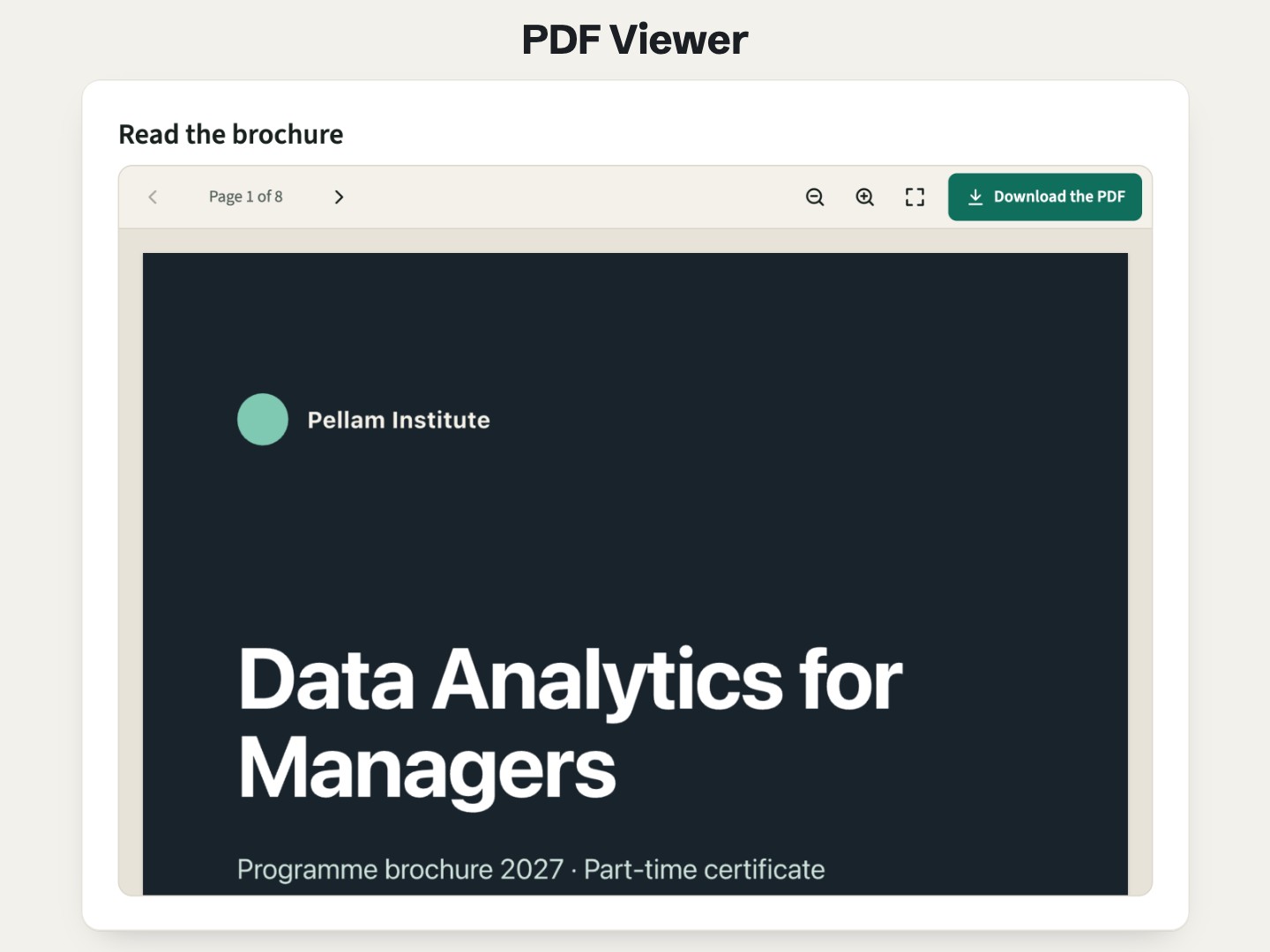
Scroll the pages, zoom, download. Further down, send the form (a real HubSpot form on our demo site: it only needs a well-formed email address, and a made-up one works, except on example.com, which it refuses): the other pages open where you are.
The demo runs the real module. Open it full page.
What it does
On phones too
Chrome on Android does not show a PDF inside a page, and Safari on iPhone shows only its first page. The module draws every page itself, with PDF.js, so the document reads the same everywhere.
A real reader, not a frame
Pages fit the column, a counter follows the scroll, previous and next, zoom from 50 to 300 %, full screen where the browser allows it. The words can be selected and copied.
A few pages free, the rest after your form
Choose how many pages read freely. The others open in place once your HubSpot form is sent, from the new or the legacy form editor, and stay open on the next visit (180 days by default).
Or the form before the download only
Every page reads freely; the download button asks for the form first, then the file downloads by itself, under the document title.
The cover beside the form
With no free page, the first page of the PDF stands behind a lock, next to your form: the classic lead magnet, without building a thank-you page.
Light on the page
Nothing loads with the page. The reader loads when the document comes near the screen, and pages are drawn as they come into view. No cookie, no tracking.
Add it to a HubSpot page
- Open a website page, landing page or blog post in the editor, and drag the module from the Add panel.
- Pick the PDF file in the file manager, and give it a Document title: it names the downloaded file.
- If you want leads, set Form to before reading the rest or before downloading, then choose the HubSpot form. Keep the form's response set to an inline message, not a redirect.
- Choose the free pages, the viewer height and the colors, then publish.
Questions
How do I embed a PDF in a HubSpot page?
Add the module, pick the PDF in the file manager and publish. The pages show in the page itself, with a toolbar to move, zoom and download, on every device.
Why not use the browser's own PDF viewer in an iframe?
On phones it does not work: Chrome on Android shows no PDF inside a page, and Safari on iPhone shows only the first page. The module draws each page itself, the same way on every browser.
Can people download the PDF only after filling in a form?
Yes. Set the form before downloading only: every page reads freely, and the download button asks for your HubSpot form first. Once it is sent, the file downloads by itself.
Does it protect the PDF?
No. It is a soft gate for collecting contacts: the PDF address is in the page, so someone who reads the page source can open the file. For private documents, use HubSpot's private content (memberships) where your plan includes it.
Does it work with a PDF hosted on another site?
Files from the HubSpot file manager always work. A PDF on another site shows only if that site allows it; otherwise visitors get an "Open the PDF" button. Uploading the file to the file manager avoids it.
Does it work on HubSpot's free plan?
Yes. It is a regular module for website pages, landing pages and blog pages, on every HubSpot plan with pages, free included.
Are the links inside my PDF clickable?
Not in this version: pages are drawn as images, with their words selectable. Put the links that matter in the page around the viewer.
Can I translate it?
Yes. Every text of the module is a field, and the guide gives them in French, German and Spanish. The form's own texts are set in the HubSpot form editor.
Not quite this one?
- Airdate Replay Gate: a video rather than a document behind a HubSpot form.
- Airdate Webinar Replays: a library of many recordings rather than one document.
Almanac
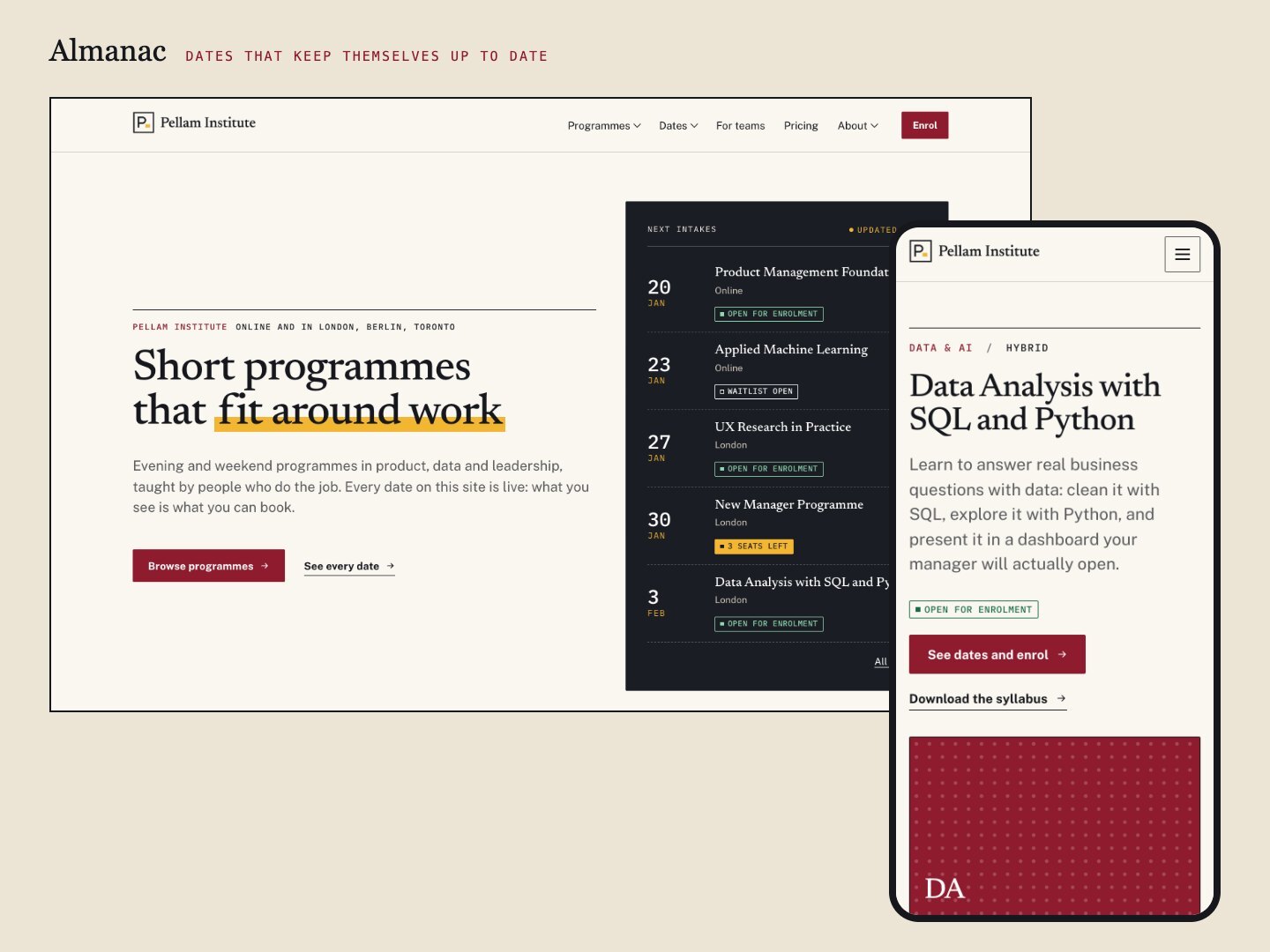
For a whole training catalogue, with programme pages, intake dates and an enrolment form, Almanac is a theme made for training providers.
A premium HubSpot theme for training organisations, academies and event teams: programmes with dated cohorts, a catalogue with filters, statuses that update themselves, early-bird prices and a calendar.
See the theme on the marketplace (opens in a new tab) · Live demo (opens in a new tab)
More free modules
Questions or a bug? support@airdatethemes.com, in English or French. We answer within two business days. · Airdate Themes