Free HubSpot module
A list of upcoming dates for your HubSpot pages
Type the dates of a course, workshop or event once. Visitors see the next ones, sorted, with what they can still do: register, hurry, or join the waitlist. Past dates leave the list on their own.
Get it free on the HubSpot marketplace (opens in a new tab) Try the demo Setup guide
Free on every HubSpot plan · For website pages, landing pages and blog posts, not emails · No extra app or account
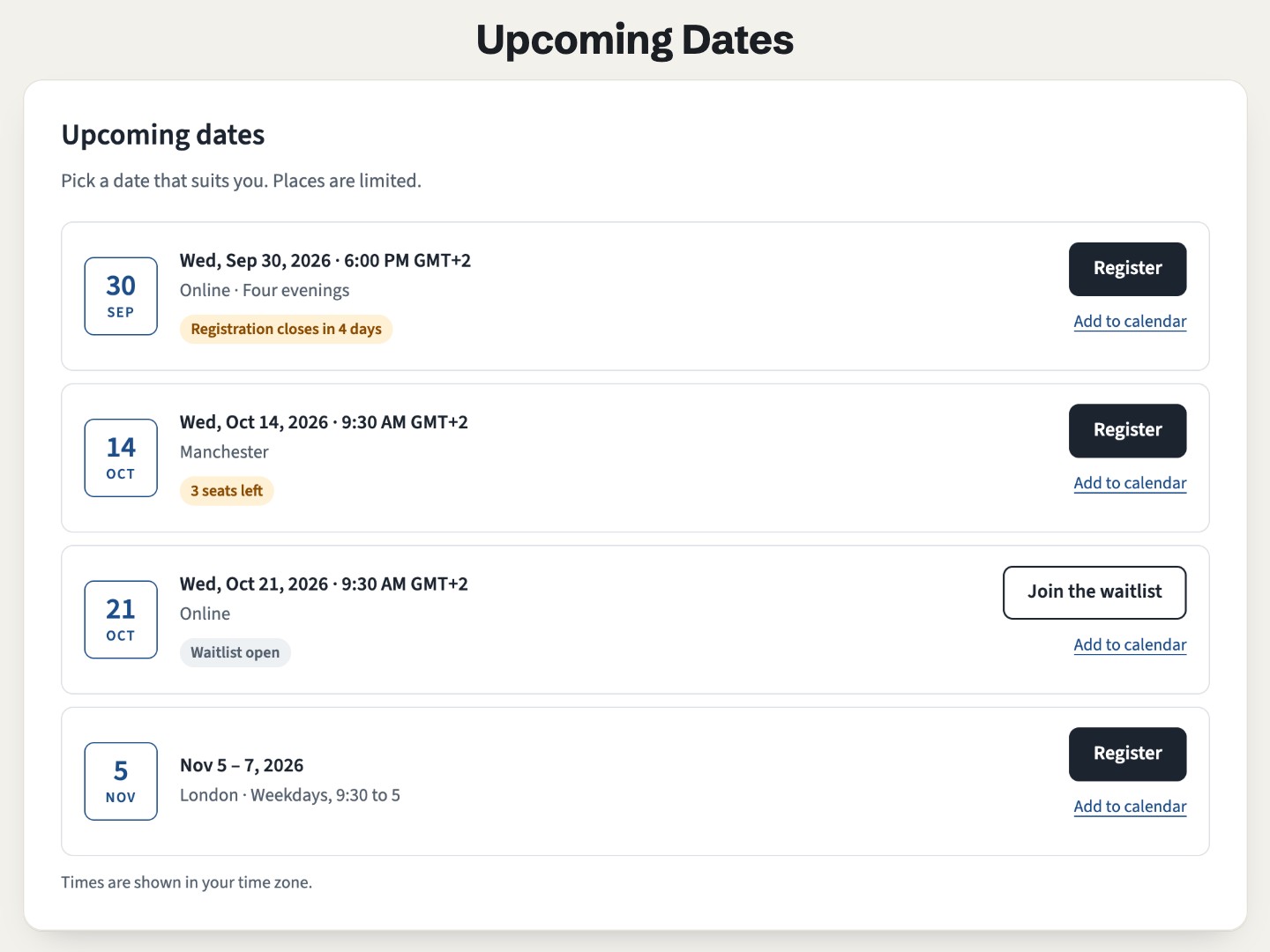
Try it here
The first list has seven dates typed in: the past one and the cancelled one are hidden, and each of the others shows its status and button.
The demo runs the real module. Open it full page.
What it does
Statuses that work themselves out
"Registration closes in 2 days", "3 seats left", "Waitlist open", "Full" or "Registration closed", from the deadline and the seats you type. The button follows: register, join the waitlist, or none.
Past dates hide themselves
A date leaves the list at its start time on the next page load, and cancelled dates are hidden. It is worked out in the visitor's browser, so cached pages stay right.
The right day and hour
Dates show in each visitor's time zone, with the zone name. For in-person dates, set the venue's zone and everyone sees the local time.
Deadlines your way
One deadline per date, or registration that closes a set number of days before the start. The "closes soon" and "seats left" alerts start at thresholds you choose.
A calendar file for every date
An optional link per date downloads an .ics file with the name, place and registration link, for Apple Calendar, Outlook and most calendar apps.
Rows or compact rows
With or without a date tile, up to 40 dates, a maximum number shown, and full or closed dates hidden if you prefer. Colors and corners are in the Style tab.
Add it to a HubSpot page
- Install Airdate Upcoming Dates from the HubSpot Template Marketplace (free).
- Open a website page, landing page or blog post in the editor, and drag the module from the Add panel.
- Type the course or event name, set the link in Registration button, and add one row of Dates per date, with seats and a deadline if you use them.
- For in-person dates, fill in the event time zone (such as
Europe/London). Adjust the alerts in Rules, then publish.
Get Airdate Upcoming Dates free on the HubSpot marketplace (opens in a new tab)
Questions
Can I use it in marketing emails?
No. The list is sorted and filtered by a small script in the browser, so it is made for pages only.
Does it work on HubSpot's free plan?
Yes. It is a regular module for website pages, landing pages and blog pages, on every HubSpot plan, free included. No app, no database table and no outside script.
Do I need to remove past dates?
No. A date leaves the list at its start time (on the next page load), on cached pages too. When no date is left, a short message takes their place.
Does it count seats or sync with my registrations?
No. Dates and seats are typed in the module, not synced with your CRM, HubDB or a registration tool. Update Seats left as people register, or set the date to Full.
Which time zone is used?
Without an event time zone, each visitor sees the dates in their own zone, which suits online sessions. With one, such as Europe/London, everyone sees the time at the venue.
Does it know which date a visitor picked?
No. The button opens your registration page. To tell dates apart, give each date its own link, for example to a separate form.
Can I translate the labels?
Yes. Every text is a field, and dates and times follow the language of the page.
Not quite this one?
- Airdate Calendar Month: the same dates as a month grid instead of a list.
- Airdate Event Schedule: the programme of one event, hour by hour, rather than many courses or dates.
Almanac
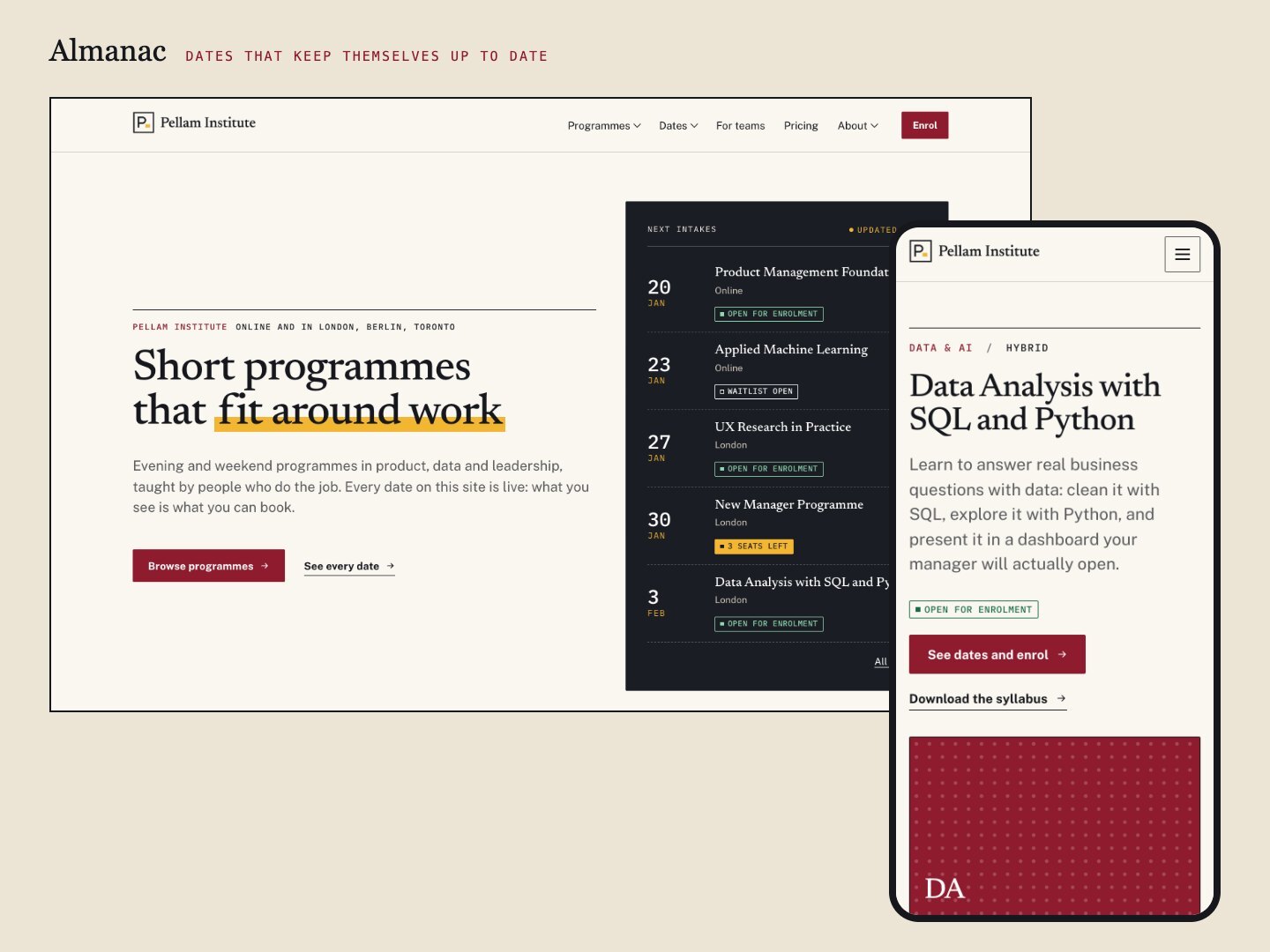
This module lists the dates of one course. Almanac, the premium theme it comes from, does the same for a whole catalogue of programmes, with filters and a calendar.
A premium HubSpot theme for training organisations, academies and event teams: programmes with dated cohorts, a catalogue with filters, statuses that update themselves, early-bird prices and a calendar.
See the theme on the marketplace (opens in a new tab) · Live demo (opens in a new tab)
More free modules
Questions or a bug? support@airdatethemes.com, in English or French. We answer within two business days. · Airdate Themes